SLIDD AI Review: Pricing, Features & How the Keyboard Works
SLIDD AI Review: Pricing, Features & How the Keyboard Works
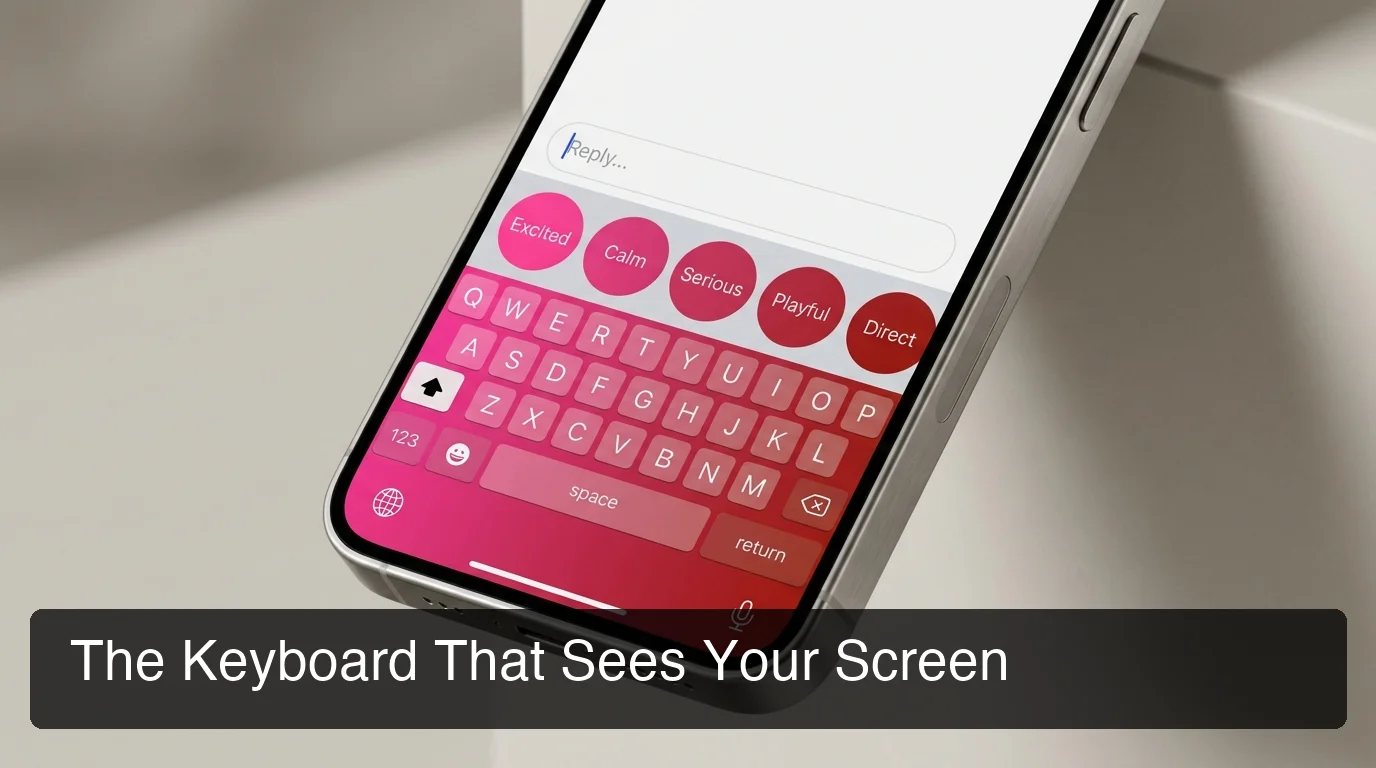
Eight steps. That's the average distance between her message and a sent reply on Rizz AI, Keys AI, or YourMove AI — screenshot, exit the app, upload, wait, copy, paste, send. This SLIDD AI review starts from a different number: one tap, because SLIDD is a keyboard that lives inside the conversation instead of an app you have to leave.
SLIDD reads the screen in real time via iOS ReplayKit, writes a reply in one of five tones, and works across Hinge, Tinder, Bumble, Instagram, WhatsApp, and iMessage. Pricing starts at $6.99/week after a 3-day unlimited free trial. Here's what that actually looks like in practice.
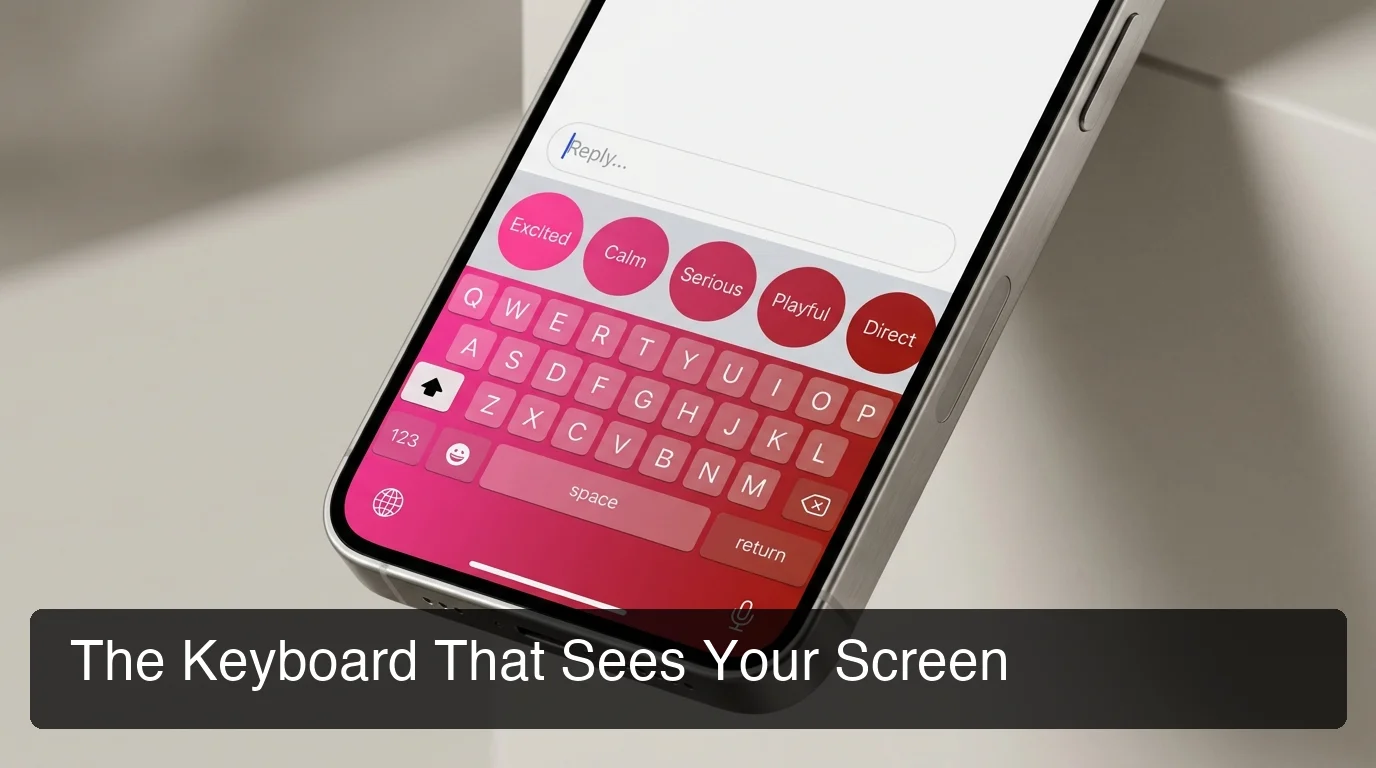 The SLIDD keyboard, mid-reply, inside the app the conversation already started in.
Key Takeaways
- SLIDD AI is an iOS keyboard that reads your screen in real time and writes dating replies in one tap — no screenshots, no app-switching, no copy-paste.
- It works inside Hinge, Tinder, Bumble, Instagram (DMs and Stories), WhatsApp, iMessage, and any app with a text field.
- Five tone presets — Flirty, Bold, Witty, Sincere, Casual — let you match the conversation's vibe instead of sounding scripted.
- A 3-day unlimited free trial comes before pricing kicks in at $6.99/week, $19.99/month, or $99.99/year.
- SLIDD's real-time screen-reading architecture solves the friction every screenshot-based competitor still has.
SLIDD AI Review: What Is It and How Is It Different from Other Dating Apps?
SLIDD AI is an iOS keyboard that reads your screen in real time and writes a dating reply in one tap, working inside Hinge, Tinder, Bumble, Instagram, WhatsApp, and iMessage. Unlike Rizz AI, Keys AI, or YourMove AI, it never asks you to screenshot, upload, or leave the conversation to get a reply.
Every competitor in this category makes you exit the moment to get help with it. SLIDD skips that step entirely because it's built as a system keyboard, not a standalone app you switch into.
| Capability | SLIDD AI | Rizz AI | Keys AI | YourMove AI |
|---|---|---|---|---|
| Real-time screen reading | Yes | No | No | No |
| Works inside the dating app | Yes | No | No | No |
| One-tap reply, no upload | Yes | No | No | No |
| Works on Instagram Stories | Yes | No | No | No |
| Works on WhatsApp / iMessage | Yes | Limited | No | No |
| Tone presets | 5 + custom | Limited | Limited | Limited |
Worth knowing: Keys AI is backed by Jared Leto and Omid Kordestani and markets itself as a "communication assistant" rather than a dedicated dating tool — a different pitch, not a different workflow.
The brand gap matters as much as the architecture gap. Rizz AI leans into "rizz" as a category name — a word that reads as low-status the moment someone finds out you're using an app for it. SLIDD's positioning skips that entirely: five deliberate tones instead of a pickup-line generator, and no cheesy sample lines anywhere in the app.
For the full breakdown of the underlying architecture, see what SLIDD AI actually is and how the keyboard works.
How Does SLIDD AI's Real-Time Screen Reading Work?
SLIDD uses iOS's ReplayKit screen-broadcast framework to capture the active screen the instant you tap Reply. A vision-capable model reads whatever's visible — her message, photo, profile, or Story — and a second-pass model drafts a reply in your selected tone before inserting it into the text field.
That's the entire pipeline: capture, read, draft, insert. Nothing leaves the app you're already in, and nothing gets stored — SLIDD discards the screen frame immediately after processing it.
The reply model also detects conversation stage before it writes anything. An opener gets written differently than a mid-conversation reply, an escalation ("want to grab a drink Friday?"), or a close. That stage detection is why the same tap works on message one and message forty.
The one-tap flow:
- Open Hinge, Tinder, or whatever app she just messaged in
- Switch to the SLIDD keyboard
- Tap Reply
- Send
The screenshot workflow every other tool still runs on:
- See her message
- Screenshot it
- Leave the dating app
- Open the reply-generator app
- Upload the screenshot
- Wait for processing
- Copy the suggested reply
- Switch back and paste
By the numbers: SLIDD's flow is one tap, inside the app. The screenshot-based alternative runs eight steps and at least one full app switch before anything gets sent.
What Are SLIDD AI's Five Tones and When Should You Use Each One?
SLIDD gives you five tone presets — Flirty, Bold, Witty, Sincere, and Casual — plus a custom tone builder, so the same keyboard can open a Hinge match, ask her out directly, or answer something vulnerable without every message sounding like it came from the same script.
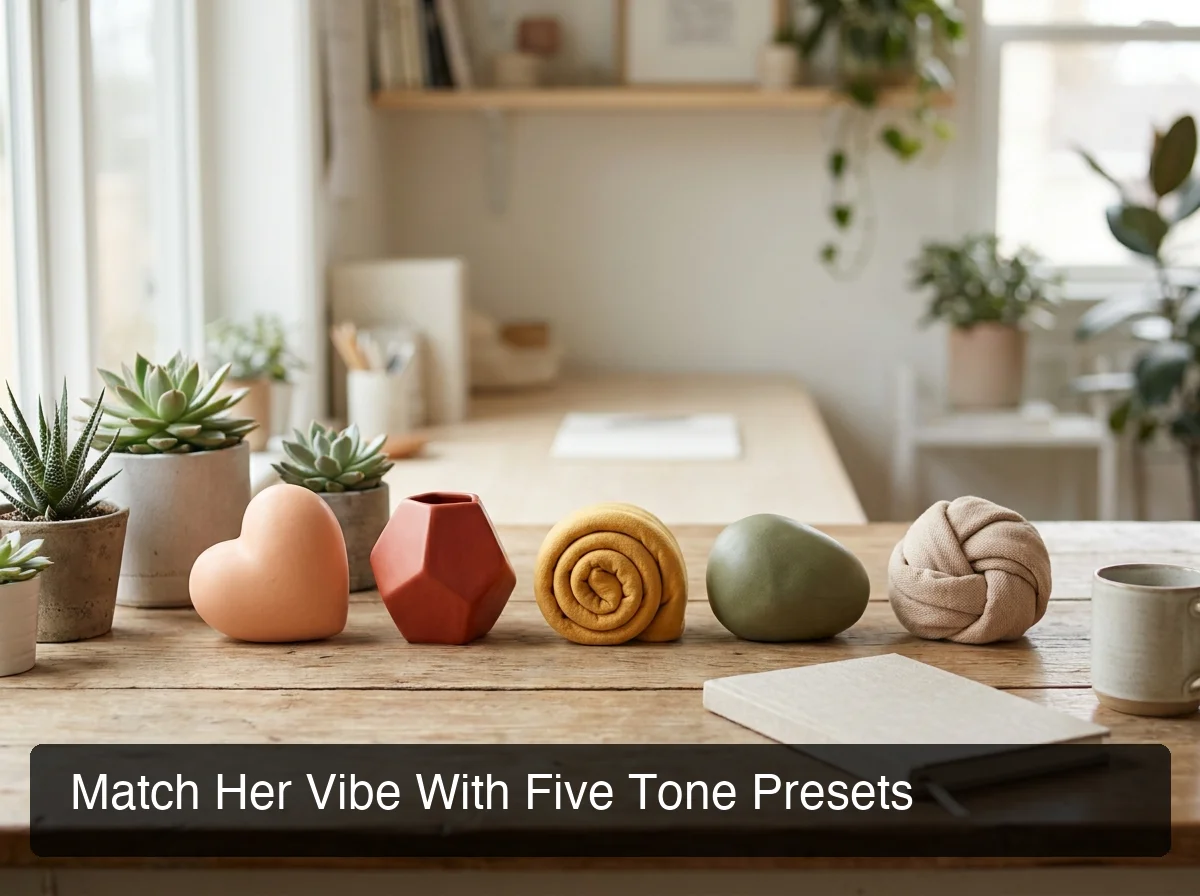 Which tone fits which moment, at a glance.
| Tone | Best for | Example SLIDD reply |
|---|---|---|
| Flirty | Building early tension | "Your dog deserves better photos than that. I volunteer." |
| Bold | Asking her out directly | "I'm not really into slow. Friday, 7pm, that new ramen place?" |
| Witty | Keeping things light | "Solid profile. Bold claim on that marathon time though — I need receipts." |
| Sincere | A vulnerable moment | "That story about your grandmother stuck with me. Not everyone leads with something that honest." |
| Casual | Low-stakes check-ins | "Long day. Yours any better?" |
Most competitors ship one tone, or a single formal-versus-casual toggle. Register-switching — Witty on an opener, Sincere three days later — is what separates a reply that sounds like a person from one that reads like a script.
The custom tone builder goes further: type a description like "dry humor" or "slightly dominant" and SLIDD writes to that instead of one of the five presets. It's the same reply engine, pointed at a voice you defined instead of one SLIDD picked for you.
Does SLIDD AI Work on Hinge, Tinder, Bumble, and Instagram DMs?
Yes — SLIDD works on Hinge, Tinder, Bumble, Coffee Meets Bagel, and every other dating app on iOS, plus Instagram DMs and Stories, Snapchat, WhatsApp, iMessage, Telegram, and Discord, because it's a system-level keyboard rather than a dating-app-only tool.
A Hinge match at 11pm rarely stays on Hinge. It moves to Instagram for a Story reply, then WhatsApp once numbers get exchanged. Every one of those hops is a place a promising conversation usually stalls out.
SLIDD doesn't care which app the conversation lands in next — Hinge's matching-to-first-message moment is where SLIDD shines, and the same keyboard follows the conversation wherever it moves after that.
YourMove AI, by contrast, runs the same screenshot-upload workflow and stops working the moment a conversation leaves the dating app it was built for. RizzGPT goes a step further in the wrong direction — it's a chatbot, so the conversation has to be manually typed or pasted in as text before it can generate anything, with no screen awareness at all.
Once things move past the opener stage — planning a first date, keeping momentum after a meetup — SLIDD's tone presets handle a different stage of the funnel than a pure opener tool.
How Much Does SLIDD AI Cost and Is There a Free Trial?
SLIDD starts with a 3-day unlimited free trial — every tone, unlimited replies, no payment required at signup — before moving to one of three paid tiers: $6.99/week, $19.99/month (marked Most Popular), or $99.99/year (marked Best Value), all of which unlock the same full feature set.
 The full SLIDD feature set, next to what the screenshot-based alternatives still can't do.
| Plan | Price | What you get |
|---|---|---|
| 3-Day Trial | Free | Unlimited replies, all 5 tones, no payment required at signup |
| Weekly | $6.99/week | Pre-selected at checkout — the impulse default |
| Monthly | $19.99/month | Most Popular |
| Annual | $99.99/year | Best Value (~$8.33/mo equivalent) |
 Trial first, then three tiers — all of them unlock the same feature set.
That pricing undercuts what most users already pay for dating-app premium tiers — Hinge Boost runs around $24.99/week, Tinder Gold around $29.99/month. SLIDD's $6.99/week buys an actual written reply instead of a visibility boost.
Reality check: The trial clock starts at signup, not first use — the 3 days run whether or not you open the app that day.
A full breakdown of what each tier unlocks — reply history limits, the custom tone builder, priority generation speed — is coming in a dedicated SLIDD AI pricing guide.
SLIDD AI Review: Is It Safe, Private, and Better Than Rizz AI or Keys AI?
SLIDD processes screen content in real time and discards it immediately — conversations aren't stored, used for model training, or tied to your identity. It runs on standard iOS keyboard and screen-broadcast permissions, the same technology behind ordinary screen recording.
That answers the safety question. The "better than" question comes down to architecture, not marketing: Rizz AI and Keys AI both still require leaving the dating app to generate a reply.
Keys AI's positioning leans into "communication assistant" language, but it still lacks SLIDD's real-time screen reading inside the conversation itself. SLIDD also isn't chasing the "rizz" pickup-line reputation — the tone presets are built to sound like a confident person replying, not a script pulled from a cheesy-line generator.
The "just use ChatGPT" question comes up too. ChatGPT can't see a screen, so every message, photo, and bio detail has to be typed in by hand first. It also has no tone presets calibrated for dating and lives in a separate app — the same broken workflow as the screenshot competitors, just with extra typing.
Can You Really Get a Reply Without Screenshots or App-Switching?
Yes — that's the entire architectural difference. SLIDD is a system keyboard, so tapping Reply reads whatever's on screen at that moment and writes into the same text field, while every screenshot-based competitor still needs an exit, an upload, and a paste back in.
The difference shows up most at the moments that matter: her Instagram Story with a 24-hour clock on it, a message that lands mid-commute, a match that goes cold if the reply takes more than a minute. SLIDD's keyboard-native approach was built for exactly those moments.
The technical detail behind that pipeline — how ReplayKit hands off a screen frame and how the reply model calibrates tone to conversation stage — gets its own deep-dive in a follow-up on how SLIDD AI actually works under the hood.
Get Started with SLIDD AI
SLIDD AI is free to start — the 3-day unlimited trial gives you every tone and unlimited replies before any pricing kicks in. If the screenshot workflow above sounds like the one you're currently stuck with, this is the one-tap alternative.
SLIDD AI Review FAQ
Is SLIDD AI free? SLIDD opens with a 3-day unlimited free trial — full access, every tone, no payment required at signup. After that, plans run $6.99/week, $19.99/month (most popular), or $99.99/year (best value), and every paid tier unlocks unlimited replies, all five tones, and the custom tone builder.
How is SLIDD AI different from Rizz AI or Keys AI? Rizz AI, Keys AI, YourMove AI, and RizzGPT all require the same workflow — screenshot her message, leave the dating app, upload it, copy the reply, paste it back. SLIDD skips every step: the keyboard already sits inside the app and reads the screen the moment you tap Reply.
Can SLIDD read Instagram Stories? Yes. Open her Story, tap the reply field, switch to the SLIDD keyboard, and tap Reply — it reads the image, video, or text overlay on the Story and writes a contextual response. Most competitors only work inside dedicated dating apps, not Instagram.
Is SLIDD AI available on Android? Not yet. SLIDD AI is iOS-only at launch, live in the US and Canada App Store with an 18+ rating. Android support is on the roadmap but has no confirmed release date.